
Revolutionize Your Business with Finesse Business Suite CRM
Automate, Nurture, and Grow with AI-Powered Conversations
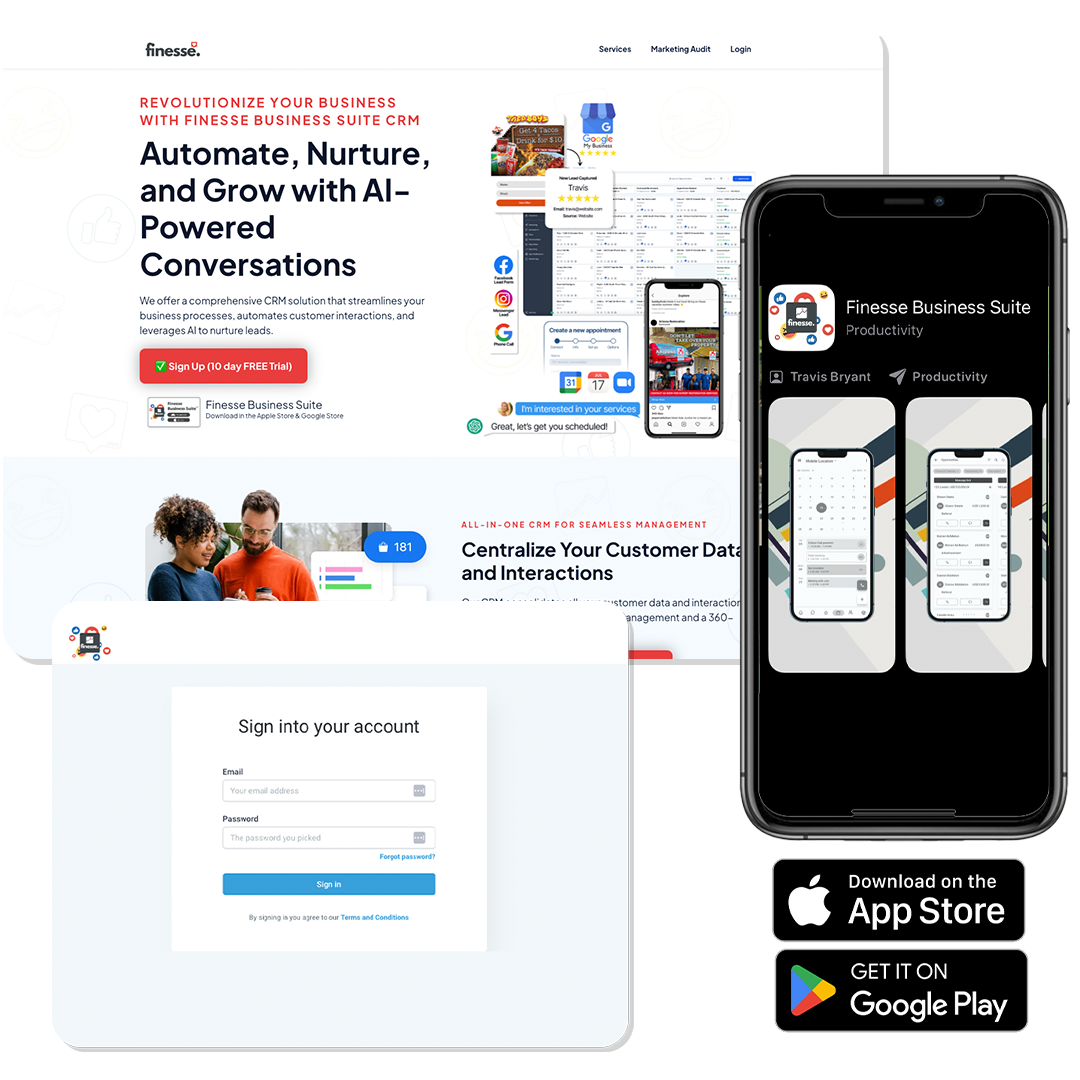
We offer a comprehensive CRM solution that streamlines your business processes, automates customer interactions, and leverages AI to nurture leads.
Finesse Business Suite
Download in the Apple Store & Google Store
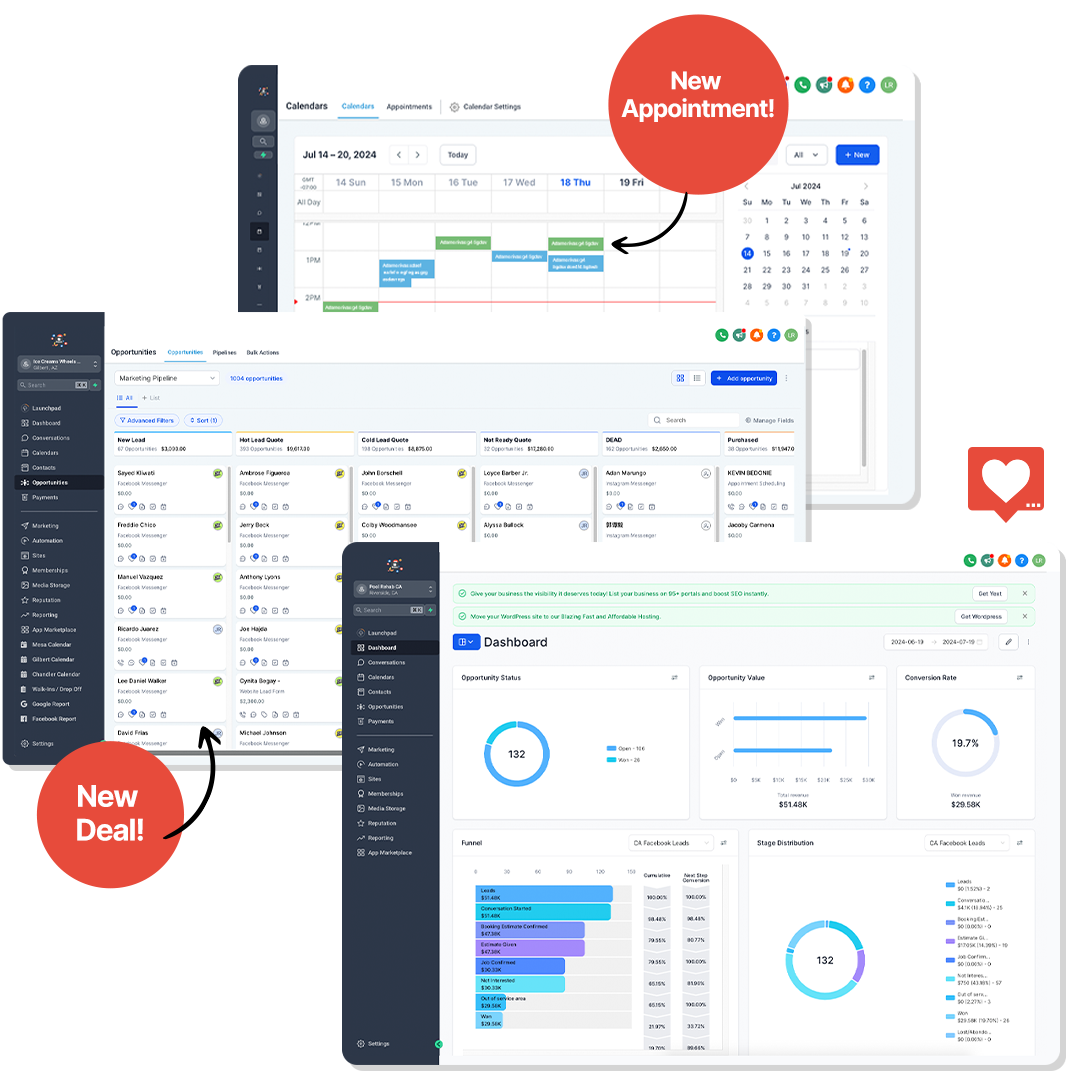
All-in-One CRM for Seamless Management
Centralize Your Customer Data and Interactions
Our CRM consolidates all your customer data and interactions in one place. This ensures seamless management and a 360-degree view of your customers.
Automation to Streamline Your Processes
Automate Repetitive Tasks and Save Time
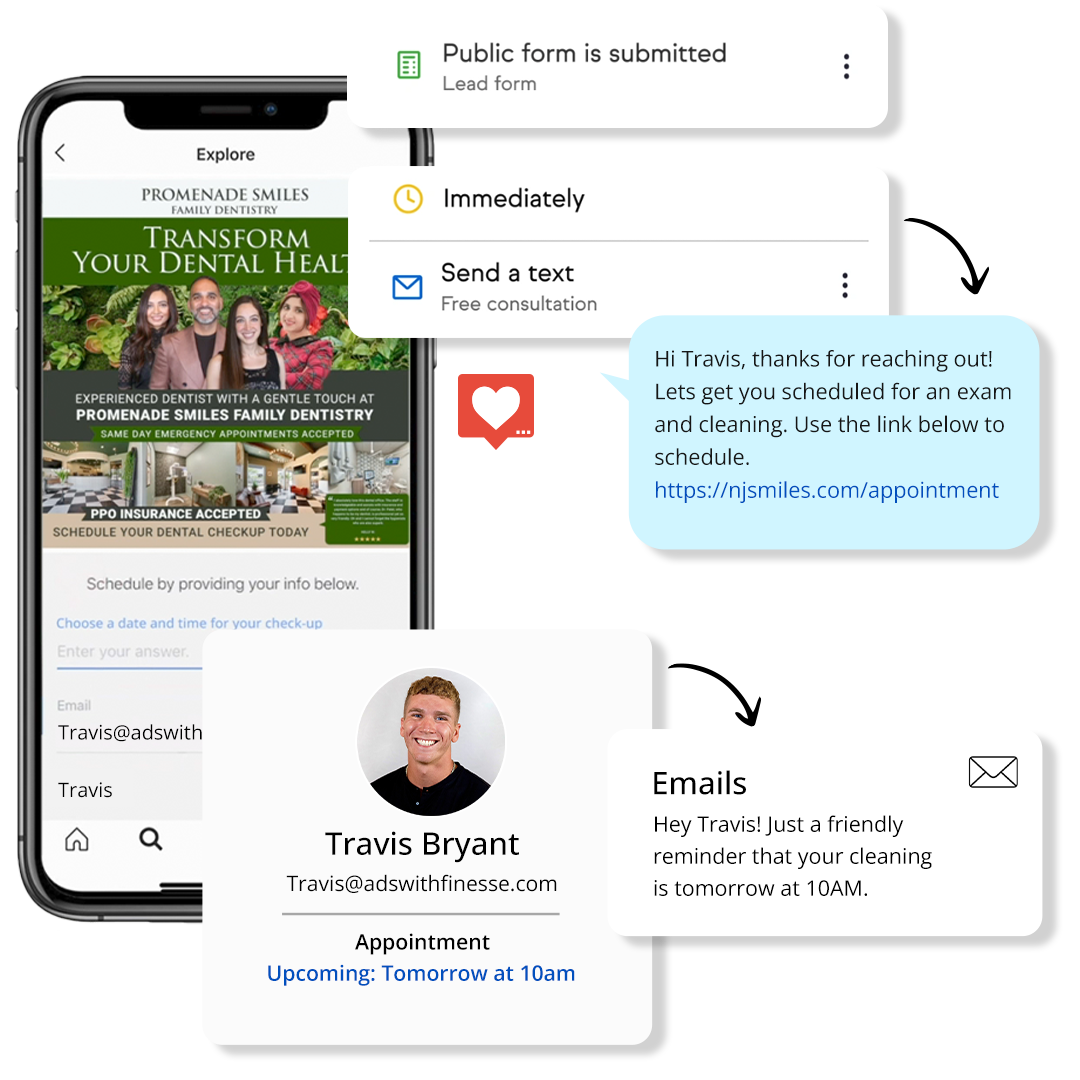
Automate repetitive tasks like follow-ups and data entry to save time. Focus on what matters most while our CRM handles the rest.
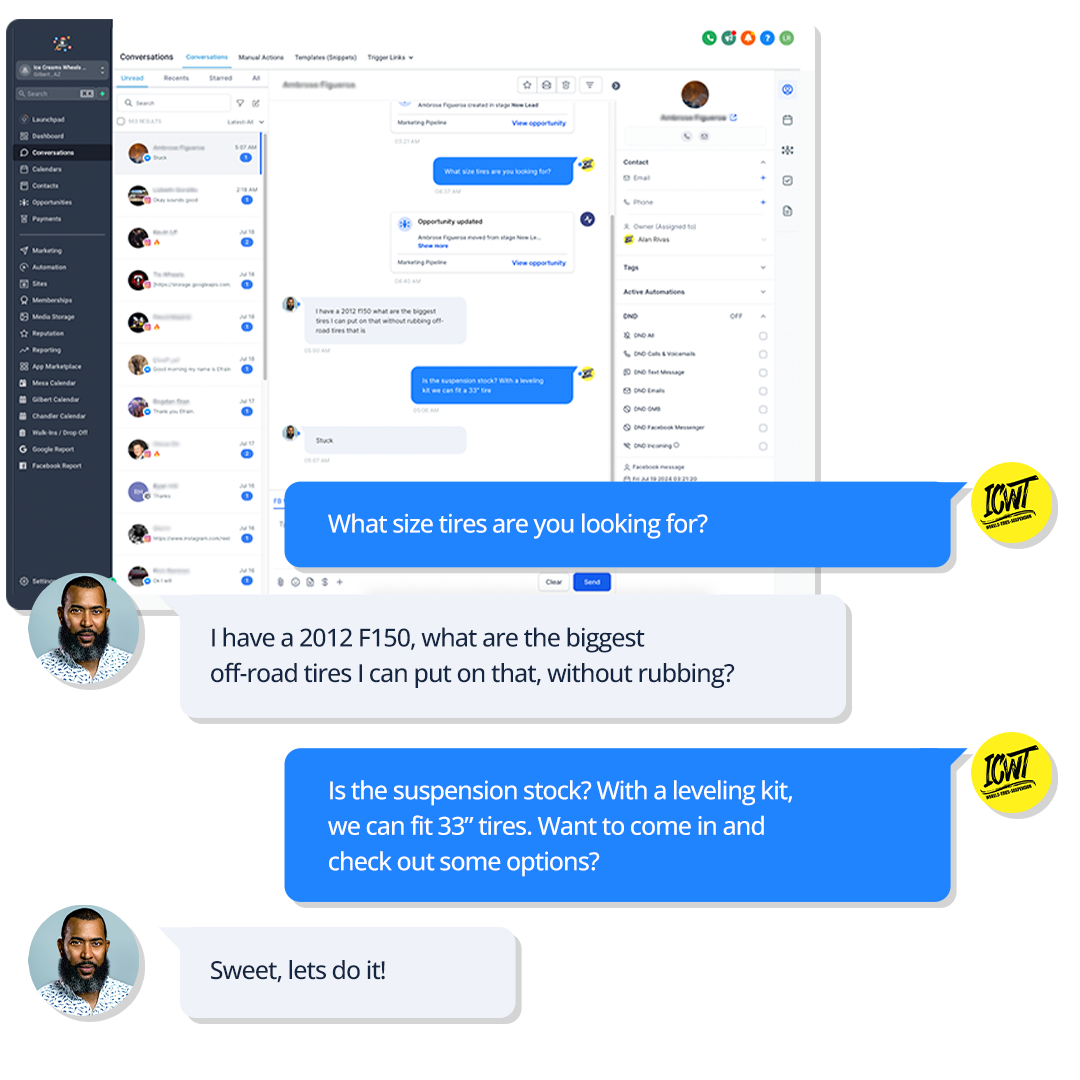
AI-Powered Conversations for Better Engagement
Leverage AI to Nurture Leads and Customers
Our AI-powered conversation tools engage leads and customers with personalized interactions through Facebook & Instagram comments, DMs, Google My Business responses, Email, SMS, website chat, and more. Nurture relationships and drive conversions effortlessly.
Advanced Analytics for Informed Decisions
Gain Insights with Comprehensive Reporting
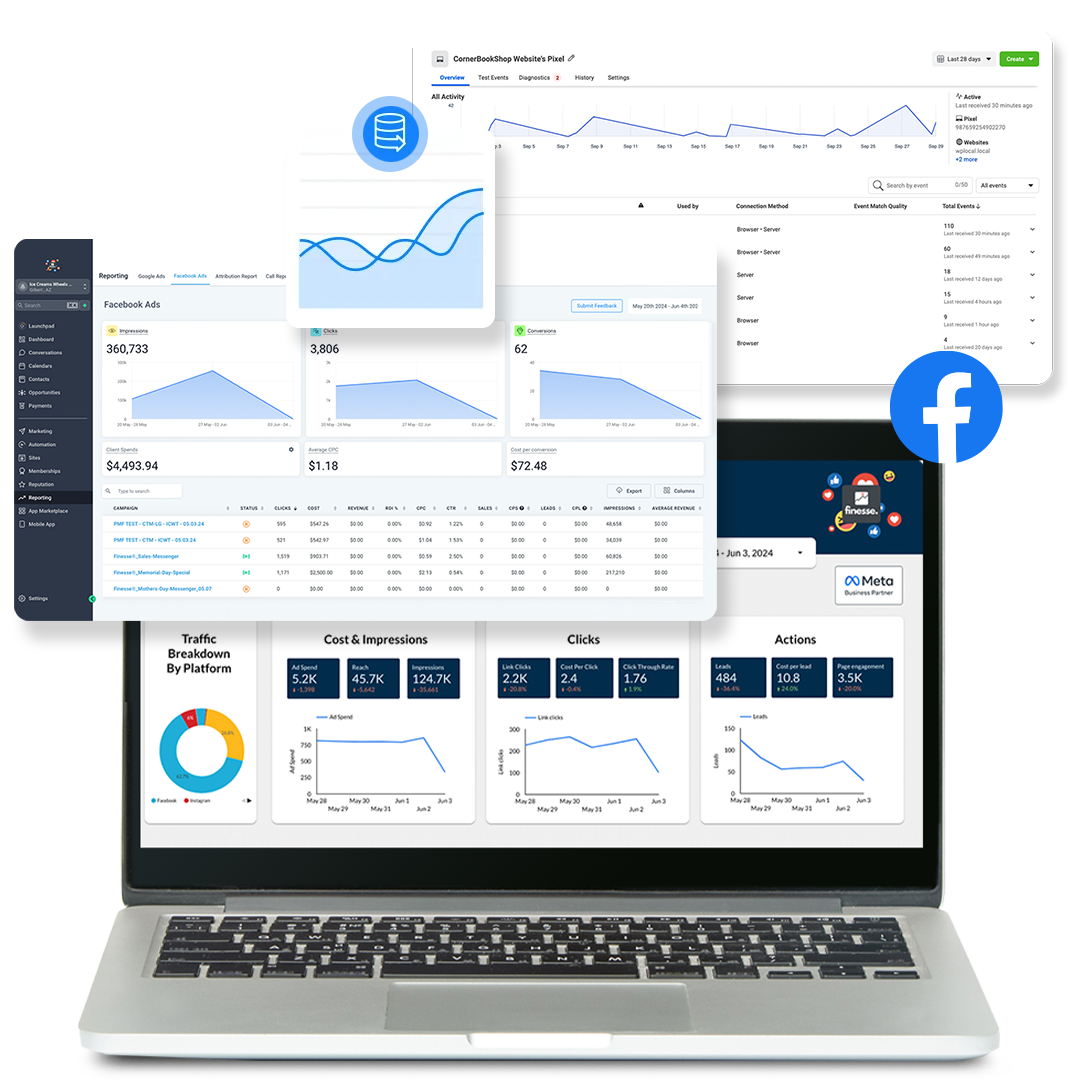
Leverage our advanced analytics to gain insights into your customer interactions. Make data-driven decisions with our comprehensive reporting tools.
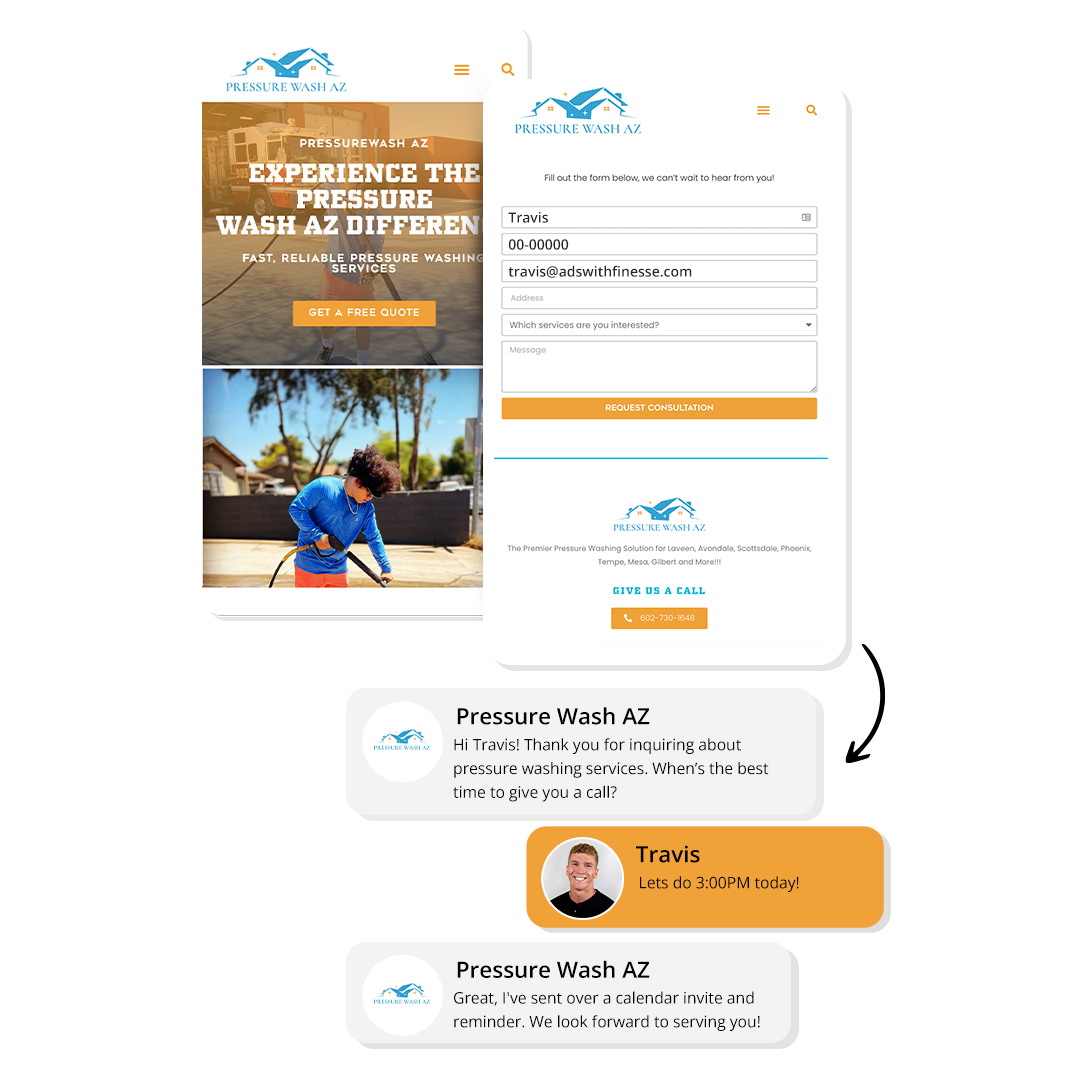
Seamless Integration with Your Tools
Integrate with Your Existing Systems
Our CRM integrates seamlessly with your existing tools and systems. Ensure smooth workflows and enhanced productivity.
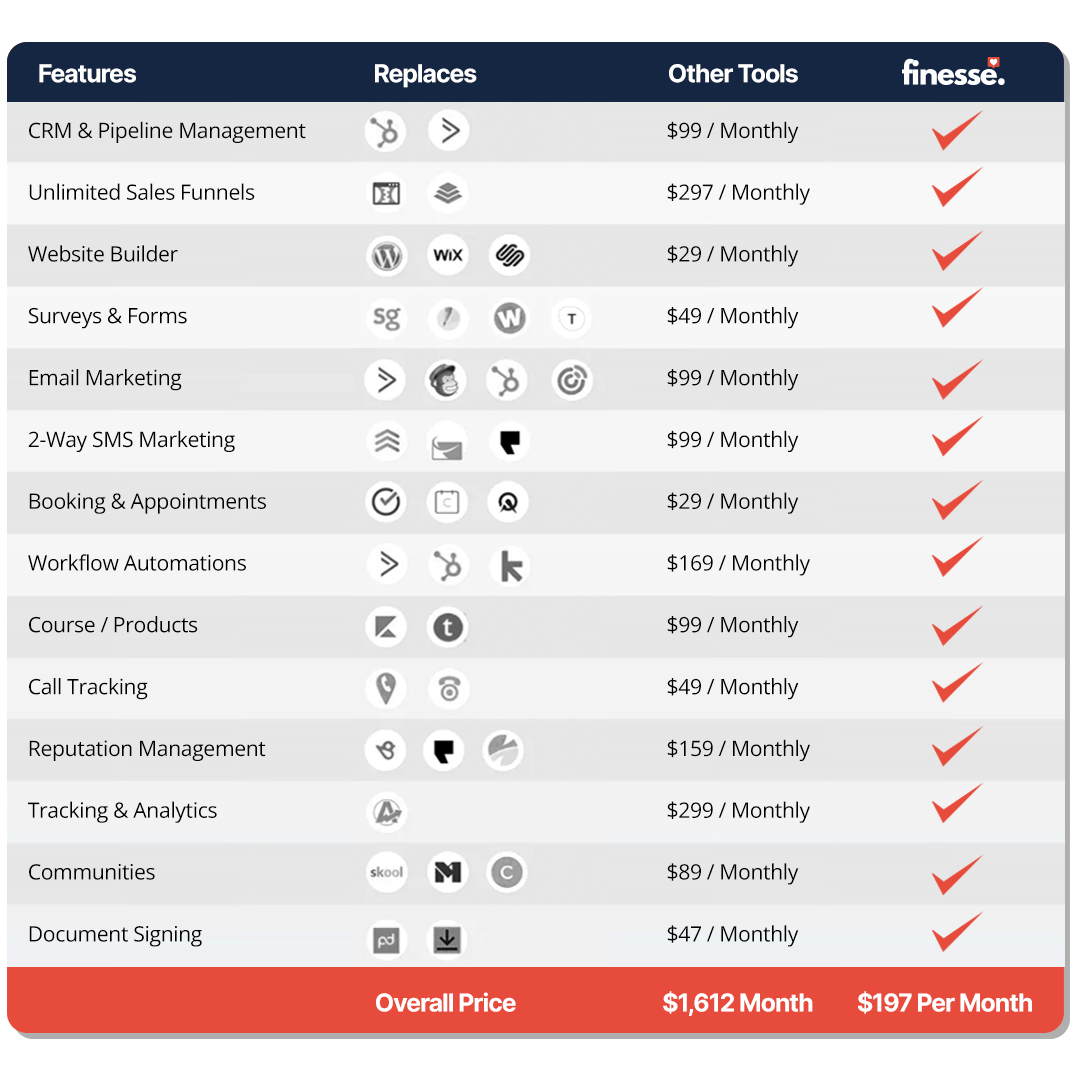
Still got questions?
Frequently Asked Questions
What features does the Finesse Business Suite CRM offer?
The Finesse Business Suite CRM offers features like customer data management, task automation, AI-powered conversations, advanced analytics, and seamless integration with existing tools.
How does the automation feature work?
Our automation feature streamlines repetitive tasks such as follow-ups, data entry, and scheduling. This allows you to focus on more strategic activities while the CRM handles routine tasks.
What is the benefit of AI-powered conversations?
AI-powered conversations engage leads and customers with personalized interactions, nurturing relationships and driving conversions. This ensures better engagement and higher customer satisfaction.
How do the analytics and reporting tools help my business?
Our advanced analytics and reporting tools provide insights into customer interactions and campaign performance. This helps you make informed, data-driven decisions to optimize your CRM strategy. This landing page structure ensures that each section is clear, engaging, and informative, with visuals that complement the text and enhance the overall user experience.

The Benefits of Setting Up a Facebook Business Manager and Properly Structuring Assets
Benefits of Setting Up a Facebook Business Manager
Create a Business Manager by visiting: https://business.facebook.com/create
1. Centralized Management
Facebook Business Manager allows businesses to manage multiple pages, ad accounts, and other assets from a single dashboard. This centralized management system simplifies the process of overseeing various aspects of your social media presence, making it easier to track performance and make informed decisions.
2. Enhanced Security
One of the primary benefits of using Facebook Business Manager is the enhanced security it offers. By separating business activities from personal accounts, you can ensure that sensitive information remains protected. Additionally, you can set up two-factor authentication to add an extra layer of security.
3. Controlled Access
Facebook Business Manager allows you to grant different levels of access to employees, agencies, and partners. This means you can control who has access to specific assets and what actions they can perform, reducing the risk of unauthorized changes or data breaches.
4. Efficient Collaboration
The platform's "Partners" feature enables businesses to collaborate with other companies seamlessly. You can share assets, such as ad accounts and pages, with partners without compromising security or ownership.
5. Improved Reporting and Analytics
With Facebook Business Manager, you can access detailed reports and analytics for all your ad accounts and pages. This data can be exported into spreadsheets for further analysis, helping you optimize your campaigns and improve ROI.
Properly Structuring Assets
1. Consolidate and Audit Existing Assets
Before diving into the setup, it's crucial to consolidate and audit your existing assets. This involves taking an inventory of all the assets associated with your business, such as pages, ad accounts, pixels, and catalogs. Identify any duplicate or obsolete assets and remove them to avoid confusion.
2. Centralize Ownership and Access
Designate a central team or individual responsible for managing the Meta Business Manager hierarchy. This team should have the authority to assign ownership of assets to the appropriate Business Manager accounts. Centralizing ownership helps maintain control and prevents unauthorized access.
3. Regularly Review and Update
As your business evolves, your asset ownership and management requirements may change. Conduct periodic audits to ensure all assets are still correctly owned and organized. Adapt your Business Asset Groups and ownership structure accordingly to prevent potential issues and maintain a well-structured Meta Business Manager.
Common Mistakes Business Owners Make
1. Delegating to Employees or Family Members
One of the most common mistakes business owners make is delegating the setup and management of Facebook Business Manager to employees or family members without proper oversight. This can lead to issues such as:
Loss of Access: If the employee or family member leaves the company, you may lose access to critical assets, leading to operational disruptions.
Security Risks: Sharing login credentials or granting excessive access can compromise the security of your business assets.
Inefficient Management: Without proper training, employees may not fully utilize the features of Facebook Business Manager, leading to inefficient management and suboptimal campaign performance.
2. Inconsistent Asset Management
Another mistake is spreading assets thin across multiple accounts or not properly structuring them within the Business Manager. This can result in:
Confusion and Overlap: Multiple accounts managing the same assets can create confusion and overlap, making it difficult to track performance and make informed decisions.
Difficulty in Collaboration: Without a clear structure, collaborating with external partners or agencies becomes challenging, leading to miscommunications and inefficiencies.
Conclusion
Setting up a Facebook Business Manager and properly structuring your assets can significantly enhance the security, efficiency, and longevity of your business's social media presence. By centralizing management, controlling access, and regularly reviewing your setup, you can avoid common pitfalls and ensure that your business assets are well-protected and effectively utilized. Avoid the mistake of leaving these critical tasks to untrained employees or family members, and take a proactive approach to managing your Facebook Business Manager for long-term success.

© 2025 Ads with Finesse | Terms & Conditions | Privacy Policy
Ads With Finesse continually stays up to date with Meta & Google marketing changes related to policies, tools, products and more.


