Revolutionize Your Business with Finesse Business Suite CRM
Automate, Nurture, and Grow with AI-Powered Conversations
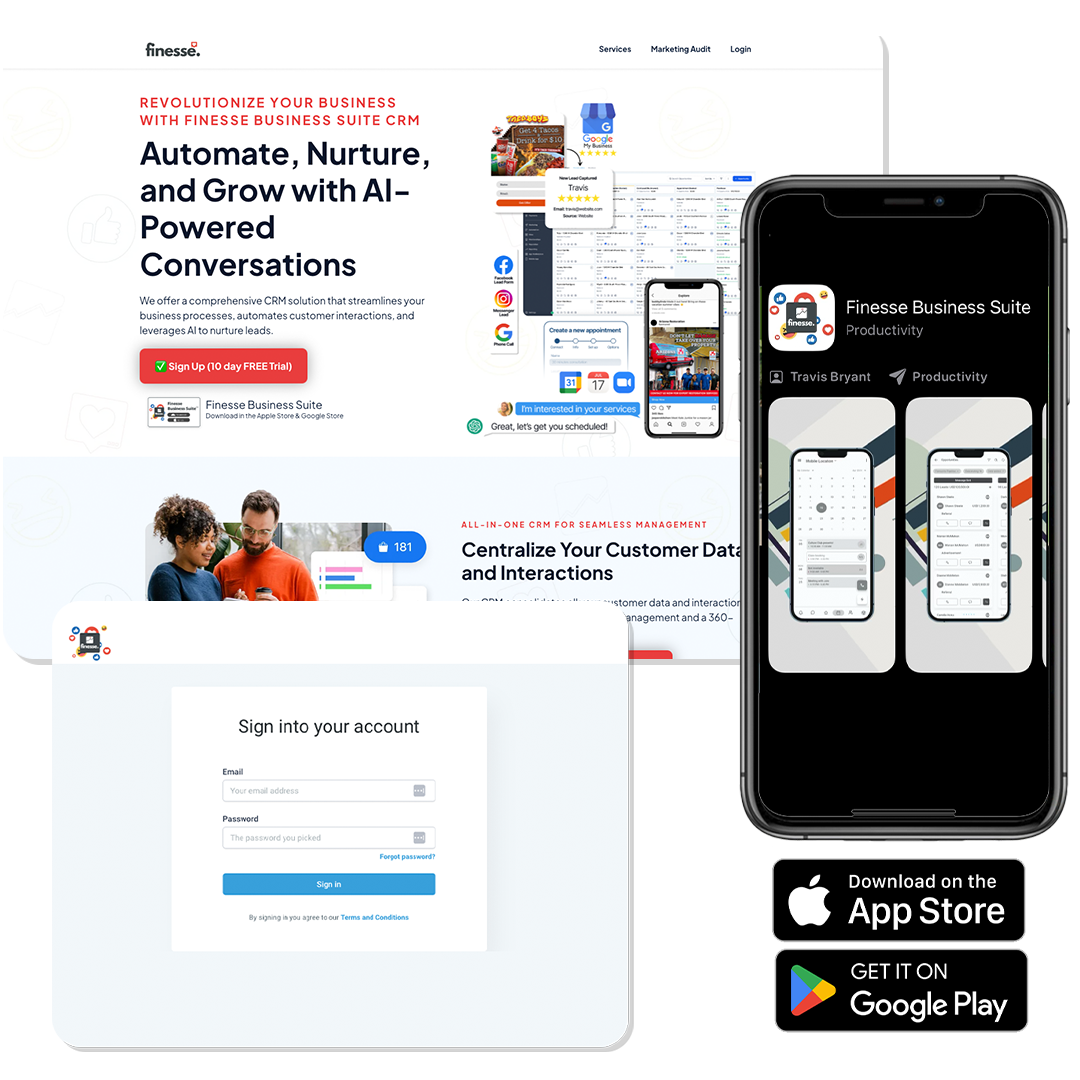
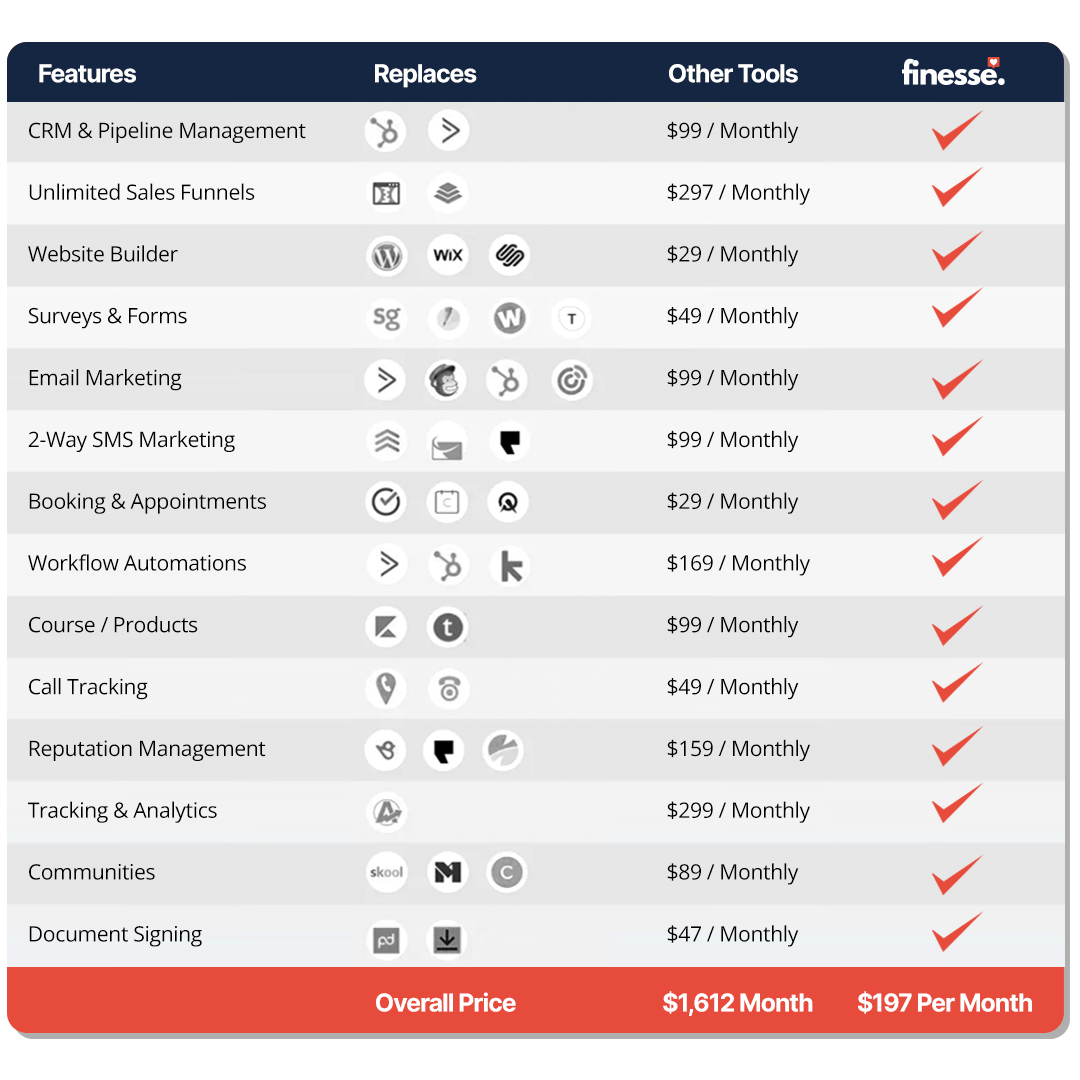
We offer a comprehensive CRM solution that streamlines your business processes, automates customer interactions, and leverages AI to nurture leads.
Finesse Business Suite
Download in the Apple Store & Google Store
All-in-One CRM for Seamless Management
Centralize Your Customer Data and Interactions
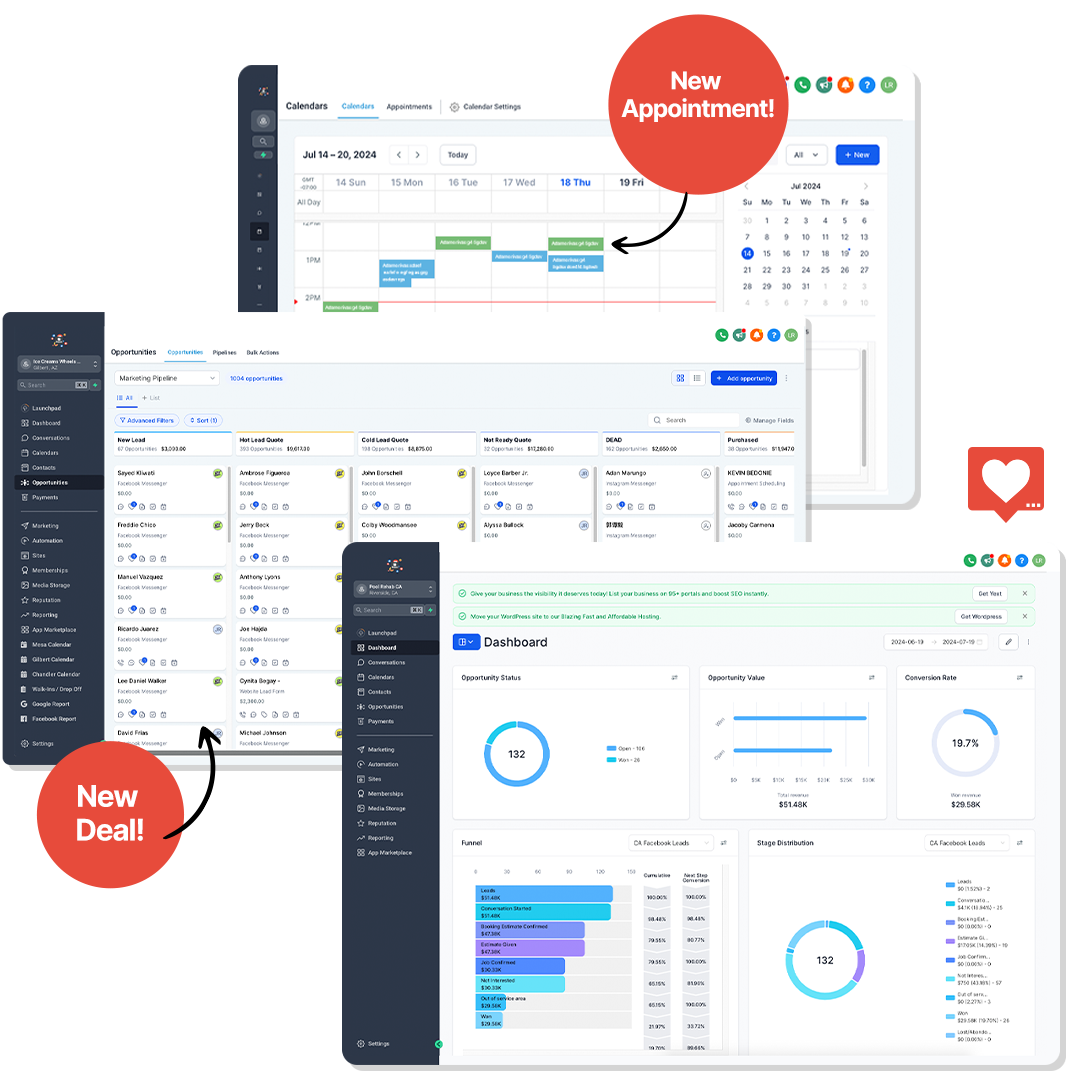
Our CRM consolidates all your customer data and interactions in one place. This ensures seamless management and a 360-degree view of your customers.
Automation to Streamline Your Processes
Automate Repetitive Tasks and Save Time
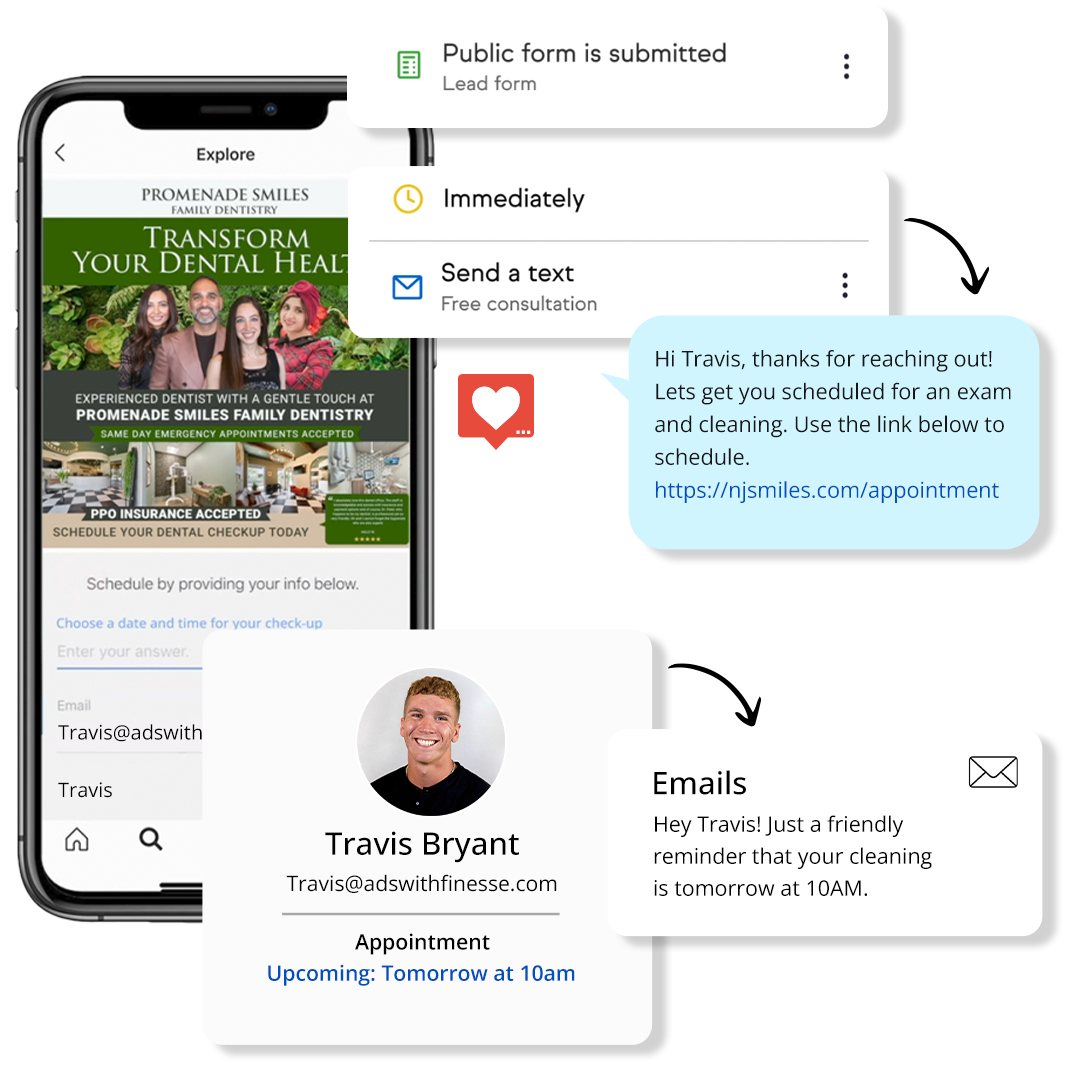
Automate repetitive tasks like follow-ups and data entry to save time. Focus on what matters most while our CRM handles the rest.
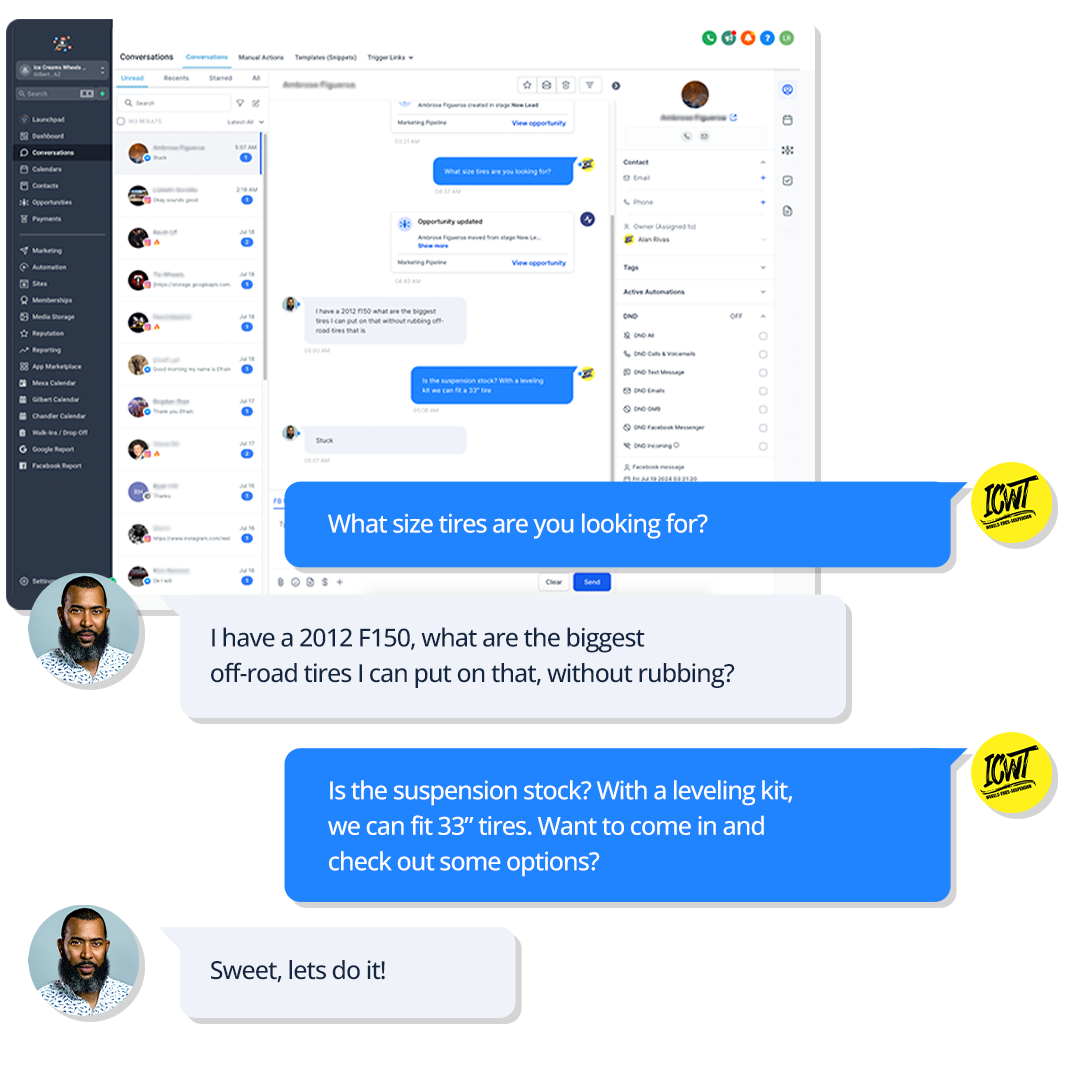
AI-Powered Conversations for Better Engagement
Leverage AI to Nurture Leads and Customers
Our AI-powered conversation tools engage leads and customers with personalized interactions through Facebook & Instagram comments, DMs, Google My Business responses, Email, SMS, website chat, and more. Nurture relationships and drive conversions effortlessly.
Advanced Analytics for Informed Decisions
Gain Insights with Comprehensive Reporting
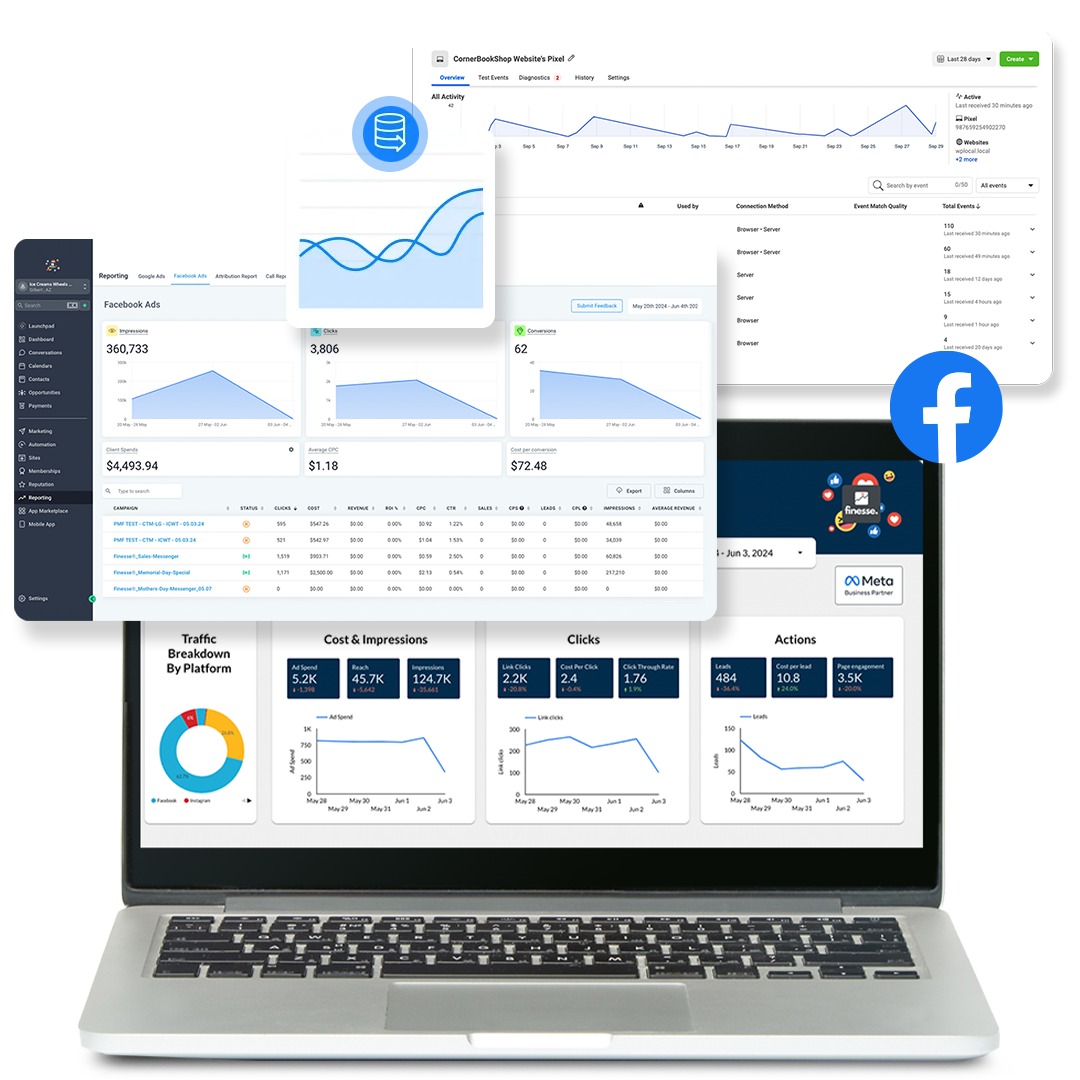
Leverage our advanced analytics to gain insights into your customer interactions. Make data-driven decisions with our comprehensive reporting tools.
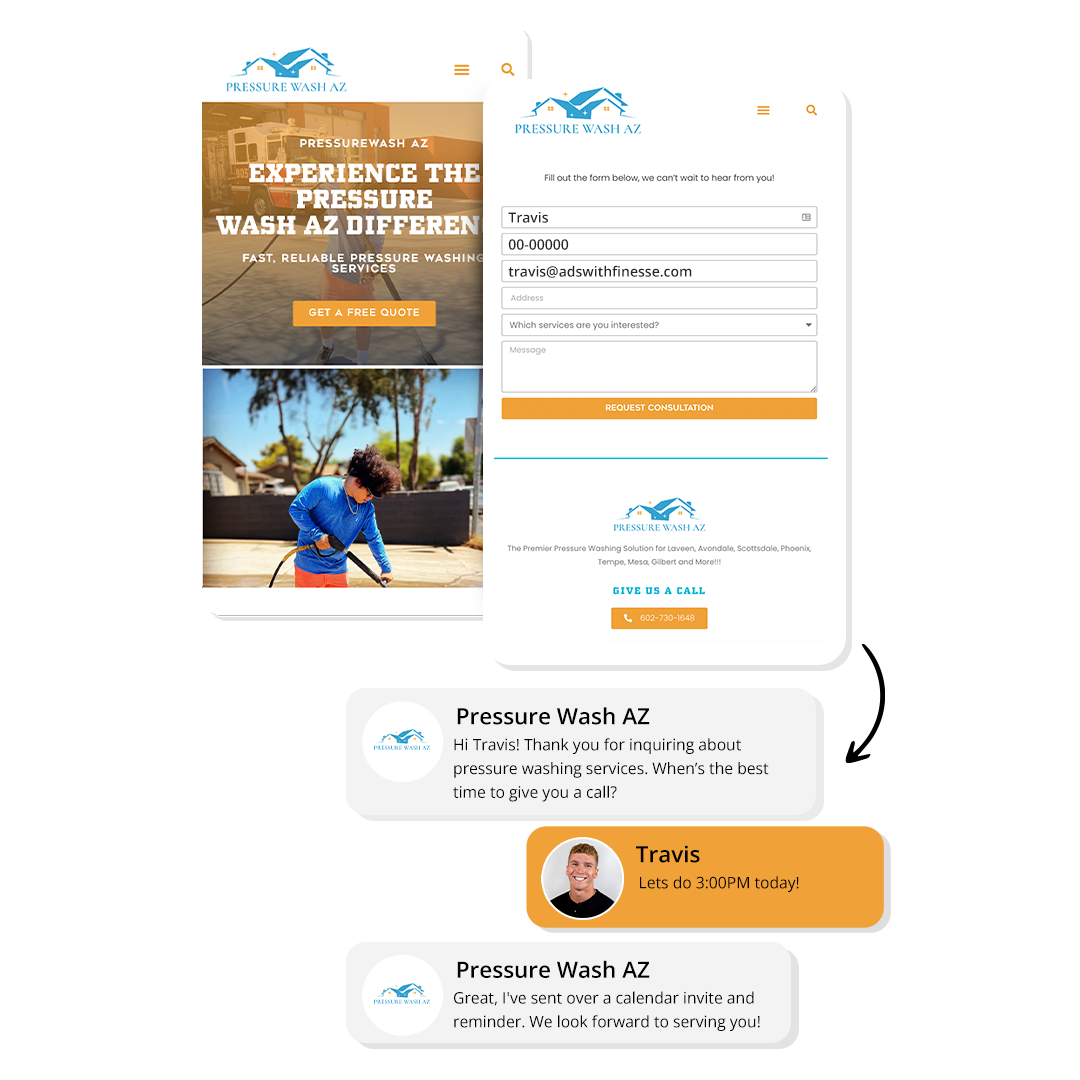
Seamless Integration with Your Tools
Integrate with Your Existing Systems
Our CRM integrates seamlessly with your existing tools and systems. Ensure smooth workflows and enhanced productivity.
Still got questions?
Frequently Asked Questions
What features does the Finesse Business Suite CRM offer?
The Finesse Business Suite CRM offers features like customer data management, task automation, AI-powered conversations, advanced analytics, and seamless integration with existing tools.
How does the automation feature work?
Our automation feature streamlines repetitive tasks such as follow-ups, data entry, and scheduling. This allows you to focus on more strategic activities while the CRM handles routine tasks.
What is the benefit of AI-powered conversations?
AI-powered conversations engage leads and customers with personalized interactions, nurturing relationships and driving conversions. This ensures better engagement and higher customer satisfaction.
How do the analytics and reporting tools help my business?
Our advanced analytics and reporting tools provide insights into customer interactions and campaign performance. This helps you make informed, data-driven decisions to optimize your CRM strategy. This landing page structure ensures that each section is clear, engaging, and informative, with visuals that complement the text and enhance the overall user experience.
Facebook Account Disabled? How to Request a Copy of Your Data (2026)
Facebook Account Disabled? How to Request a Copy of Your Data (2026)
When your Facebook account is disabled, years of photos, messages, customer conversations, and page history disappear behind a locked door. The same thing happens with a disabled Instagram account. Many business owners assume all of it is gone until an appeal comes through. But even with a Facebook account banned and no way to log in, you may still have legal rights to that information.
Here's how to use them.
1. Your rights don't disappear with your login
Privacy laws give people the right to see and control their personal data, and those rights don't depend
on whether you can still sign in.
California privacy rights: The CCPA gives you the right to know what data a business holds about you, plus the rights to access it, delete it, and take it with you. Businesses generally have 45 days to respond to a CCPA data request, and can extend that to 90 days with notice.
EU and UK rights: A GDPR data request covers similar ground. The response is generally due within one month, and can be extended for complex requests.
Both kinds of request are generally free. They also include data portability, which means getting your
information in a format you can move somewhere else.
2. Appeal vs. data request: two separate tracks
It helps to think of these as two different paths:
Meta account appeal: aims to get the account back. It follows Meta's own rules and has no legal
deadline.
Meta data access request: aims to get a copy of your data, or delete it. It's based on privacy law,
so there's a legal deadline to respond.
You don't have to choose. File both at the same time, and one won't slow down the other.
3. How to request Facebook data when you're locked out
1. Name the right you're using. For example: "I'm making a right to know request under the CCPA."
2. Give identifying details: your name, email, phone number, and profile link. Expect Meta to verify
your identity, and possibly ask for documents.
3. Send a Meta privacy request through its privacy channel, not the in-app settings you can no
longer reach.
4. Be specific. Say whether you want to download your Facebook data in full, recover Facebook
photos only, or delete Facebook data entirely, and what format you'd like.
5. Keep records of the date you filed and any reference number.
4. If Meta doesn't respond
If the deadline passes, or you're refused without a valid reason, you can complain to a regulator. In California, that's the California Privacy Protection Agency or the Attorney General. In Europe, it's your local data protection authority.
5. What you might not get
Purely business records or aggregate data may not count as your personal data.
Information about other people can be held back.
Identity checks can slow things down and pause the clock.
6. Protect yourself going forward
Back up important content outside Meta on a regular schedule: product photos, customer lists, ad reports, and creative files. That way, a sudden ban can't erase your history, and you won't be scrambling to get it back.
Conclusion:
A Facebook account disabled overnight is frustrating, but your data rights stay with you. File your Meta account appeal and your data request side by side, keep good records of both, and start backing up your content so you're never caught off guard again.
Check out our blog and services at adswithfinesse.com.


© 2026 Ads with Finesse | Terms & Conditions | Privacy Policy
Ads With Finesse continually stays up to date with Meta & Google marketing changes related to policies, tools, products and more.


